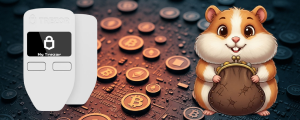
Trezor Model One Review

Trezor Model One Review
4.5
  • 🔐 Display: OLED 128×64
  • 🔌 Connection: USB 2.0
  • 💰 1,000+ cryptocurrencies

Advantages and disadvantages

Pros

  • Affordable entry point for hardware wallets.
  • Proven security with over 10 years of solid track record.
  • Open-source software for transparency.
  • Works with many third-party wallets.
  • Simple to use: two buttons + clear OLED screen.

Cons

  • Outdated Micro USB connection.
  • Limited coin support compared to competitors.
  • No iOS or Bluetooth support.
  • Slower ARM Cortex-M3 chip.
  • Basic UI without touchscreen.

Overview

If hardware wallets were cars, the Trezor Model One would be the reliable Toyota Corolla of the crypto world—no flashy bells and whistles, but it gets the job done without breaking down. Looking for a first hardware wallet that won’t drain your budget but still keeps your crypto safe? Here it is.

What is the hardware wallet Trezor Model One?

Released by Czech company SatoshiLabs in 2014, the Trezor Model One is the first-ever hardware wallet. Imagine a USB stick that stores your private keys offline and away from hackers. Unlike software wallets, where keys are stored on your PC and vulnerable to malware, this device keeps your crypto offline, making theft nearly impossible.

The idea is simple: even if your computer is riddled with viruses, your crypto stays safe because your private keys never leave the hardware wallet.

Feature Specification
Dimensions 60 × 30 × 6 mm
Weight 12 grams
Screen OLED, 128×64 pixels
Connection Micro USB
Processor ARM Cortex-M3 120 MHz
OS Trezor Core
Price $49-$69

Supported Coins

Trezor wallet handles 1400+ cryptocurrencies, including the big players like Bitcoin and Ethereum, plus most ERC-20 tokens. For the full list, check trezor.io/coins.

Supported major coins

  • Bitcoin (BTC)
  • Ethereum (ETH)
  • Litecoin (LTC)
  • Bitcoin Cash (BCH)
  • Dogecoin (DOGE)
  • Dash (DASH)
  • Zcash (ZEC)

Not supported on Model One

  • XRP (needs Model T)
  • Cardano (limited support)
  • Monero (via third-party apps)
  • Tron tokens (via third-party wallets)

If your portfolio is heavy on exotic altcoins, consider upgrading to Trezor Model T or another device.

Ease of Use

Setup process

Getting started takes about 10 minutes

1
Step 1
Plug into your computer via USB.
2
Step 2
Visit suite.trezor.io.
3
Step 3
Follow step-by-step initialization.
4
Step 4
Write down your recovery seed (don’t lose it).
5
Step 5
You’re set to manage your crypto safely.

Interface

The device has two physical buttons and a small monochrome OLED screen to confirm transactions. It’s not a touchscreen iPhone experience, but it’s functional and secure.

Management happens through the Trezor Suite app on Windows, macOS, and Linux. Web versions work with Android browsers too.

Mobile compatibility

No official iOS support yet, and Android can connect only via OTG adapter and browser—not the smoothest experience.

Trezor One vs Ledger Wallets

Feature Trezor Model One Ledger Nano S Plus Ledger Nano X
Price $49-$69 $79 $149
Display OLED 128×64 OLED 128×64 OLED 128×64
Connection Micro USB USB-C USB-C + Bluetooth
Supported Coins 1400+ 5500+ 5500+
Secure Element No Yes Yes
iOS Support No No Yes

Trezor’s appeal lies in its fully open-source design and avoidance of centralized points of failure. Ledger devices use closed secure chips which can be great for physical attack resistance but require trusting the manufacturer.

Where to Buy and Price

  • Official price for 2025 is around $49-$69 depending on reseller.
  • In the US and Europe, it’s widely available through official channels.
  • Avoid buying used or from unofficial sources to prevent scams.

Look for authorized resellers listed on the official Trezor website.

Final Verdict

In 2025, Trezor Model One is like buying a sturdy used car—no flashy gadgets, but dependable and safe. It’s great for beginners who want a trusted way to secure Bitcoin and Ethereum without breaking the bank.

Buy it if you

  • Are entering crypto security for the first time.
  • Keep mostly major coins like BTC or ETH.
  • Value open-source transparency.
  • Want solid offline protection without extra bells and whistles.

Pass if you want

  • Sleek modern design and mobile-first experience.
  • Support for quirky altcoins like XRP.
  • Built-in exchange and advanced features.

This classic hardware wallet will keep your seed phrase safe and secure, and if you outgrow it, your recovery seed can easily migrate to Trezor Model T or other next-gen wallets.

Security

Security Features That Actually Matter

Trezor One is built on the principle of zero trust, meaning you don’t have to trust the computer it’s connected to. The risk of an attack via USB is minimal because the keys stay isolated within the device.

Hack Resistance

  • PIN protection: After 3 wrong entries, delay increases exponentially. After 16, device blocks fully.
  • Recovery seed: 12 or 24 words backup phrase that’s your lifeline if the device is lost. Keep it offline on paper, no backups in the cloud.
  • Passphrase: An additional secret key that creates hidden wallets even if PIN is compromised.

Still, physical security matters. In 2023, a security company showed it’s possible to physically hack a Trezor with special hardware in a few hours—but you’d need expensive gear and white-hat hacker skills to pull it off.

Fees

The Trezor Model One hardware wallet itself charges no fees for storing or sending cryptocurrencies. All transaction fees are determined by the blockchain network and depend on its congestion at the time of the transaction.

When sending funds, users can choose the fee level manually — higher fees typically mean faster confirmations. Trezor does not take any additional fees for using the device or its software. Your only expenses are network (miner) fees, and optionally exchange service fees if you trade through integrated partners such as Trezor Suite, Changelly, CoinSwitch, and others.

FAQ

Trezor Model One supports over 1,000 cryptocurrencies, including Bitcoin, Ethereum, Litecoin, Dogecoin, and many ERC-20 tokens. However, some newer coins are only available on the advanced model - Trezor Model T.

No, Trezor itself doesn’t charge any fees. You only pay network fees (for example, to miners for confirming your transactions).

Yes. During setup, you receive a 12–24 word recovery seed phrase, which allows you to restore full access to your funds on a new device.

Yes, it can be connected to Android smartphones via an OTG cable. iOS is not officially supported.

Absolutely. Your private keys never leave the device, and PIN plus passphrase protection ensures a high level of security even if someone gains physical access to the wallet.

cryptON

cryptON

Crypto enthusiast, love to sell high. Waiting for Bull Market, love Coinlist. Writer and reviewer on this site.

Reviews

CryptoOG_88 · 7 December 2025
Rating: 5

Trezor Model One remains the absolute benchmark for cold storage, even in 2025. You are buying security, not a gadget. Its open-source architecture gives me unparalleled confidence—I don’t have to “trust” the company, I can trust the code. The device is dead simple: two buttons, clear screen, and it keeps my keys absolutely isolated.

If your portfolio focuses on major coins like BTC, ETH, and LTC, this wallet is unbeatable for its price and proven track record. It’s the original hardware wallet for a reason. Don’t worry about the lack of a touchscreen or Micro USB—those are minor compromises for the highest level of trustless, affordable security on the market. A must-have for every serious crypto holder.

CryptoViking · 21 November 2025
Rating: 4

Just locked up my stack in the Model One—easy setup, rock-solid for HODLing. Only gripe: limited altcoin support if you’re chasing every memecoin.

Describe your experience

Other reviews in this category

Ledger Nano S Review

Ledger Nano X Review

Trezor Model T Review